All Parties, One Table
Forest Management Planning, Analysis, Mapping, Reporting

OUR MISSION
OUR MISSION
How It Works
A Connected Forestry Workflow
1
Create a New Project
Foresters can start a new project from scratch or build one from an existing template. After selecting or drawing the project area on the map, they enter basic project details. With this information in place, Intelifore generates the project workspace.
1
Create a New Project
Foresters can start a new project from scratch or build one from an existing template. After selecting or drawing the project area on the map, they enter basic project details. With this information in place, Intelifore generates the project workspace.
1
Create a New Project
Foresters can start a new project from scratch or build one from an existing template. After selecting or drawing the project area on the map, they enter basic project details. With this information in place, Intelifore generates the project workspace.
2
Add Documents to Your Project
If a project is created from a template, many of the required documents may already be included. For projects built from scratch, users can begin with a blank document or add specific templates stored within Intelifore or provided by their organization. These may include Timber Harvest Plans, NTMP documents, Emergency Notices, or any other project-specific materials.
2
Add Documents to Your Project
If a project is created from a template, many of the required documents may already be included. For projects built from scratch, users can begin with a blank document or add specific templates stored within Intelifore or provided by their organization. These may include Timber Harvest Plans, NTMP documents, Emergency Notices, or any other project-specific materials.
2
Add Documents to Your Project
If a project is created from a template, many of the required documents may already be included. For projects built from scratch, users can begin with a blank document or add specific templates stored within Intelifore or provided by their organization. These may include Timber Harvest Plans, NTMP documents, Emergency Notices, or any other project-specific materials.
3
Upload Resources
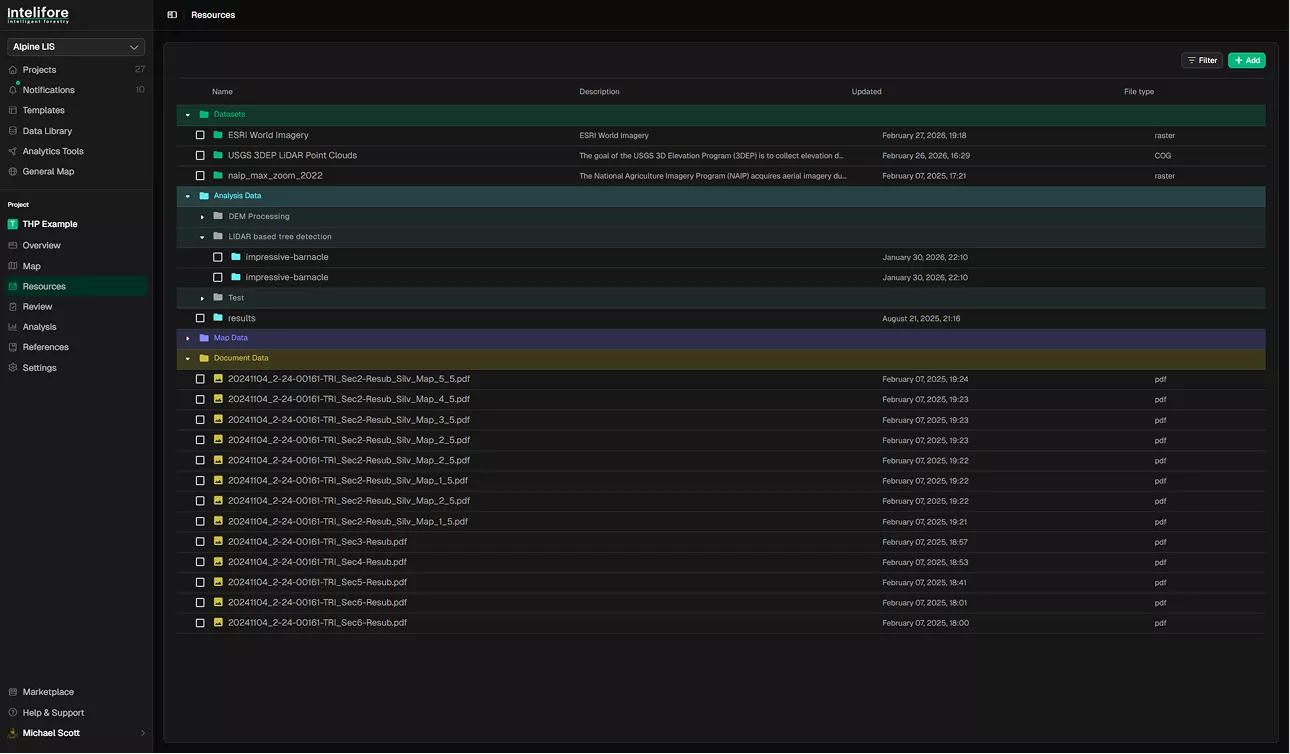
Foresters can upload any resources needed for planning and analysis. This includes publicly available datasets like NAIP imagery or USGS 3DEP LiDAR, as well as internal files that their organization has added to the platform.
3
Upload Resources
Foresters can upload any resources needed for planning and analysis. This includes publicly available datasets like NAIP imagery or USGS 3DEP LiDAR, as well as internal files that their organization has added to the platform.
3
Upload Resources
Foresters can upload any resources needed for planning and analysis. This includes publicly available datasets like NAIP imagery or USGS 3DEP LiDAR, as well as internal files that their organization has added to the platform.
4
Edit Map Views
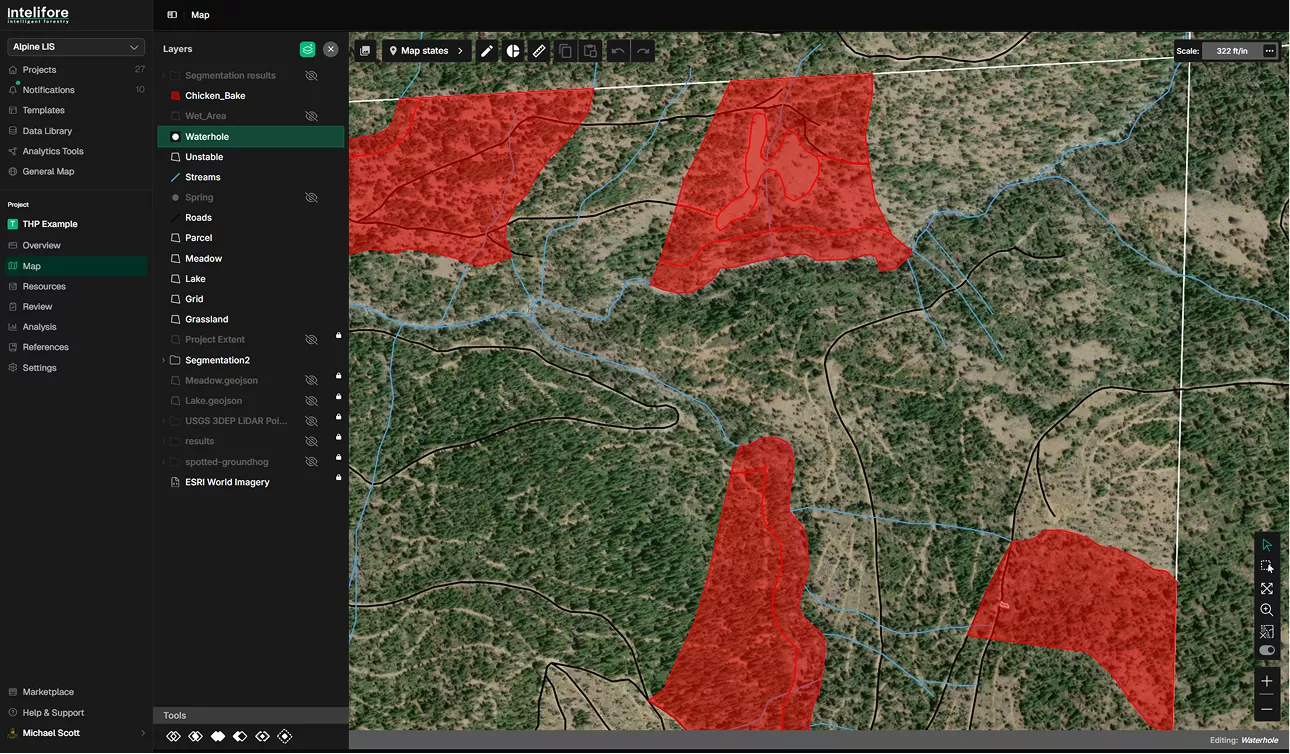
Users can configure maps with custom layers, viewpoints, and visual emphasis. Each unique configuration is saved as a “state,” which can then be inserted directly into documents to address specific questions or illustrate key points.
4
Edit Map Views
Users can configure maps with custom layers, viewpoints, and visual emphasis. Each unique configuration is saved as a “state,” which can then be inserted directly into documents to address specific questions or illustrate key points.
4
Edit Map Views
Users can configure maps with custom layers, viewpoints, and visual emphasis. Each unique configuration is saved as a “state,” which can then be inserted directly into documents to address specific questions or illustrate key points.
5
Perform Analysis
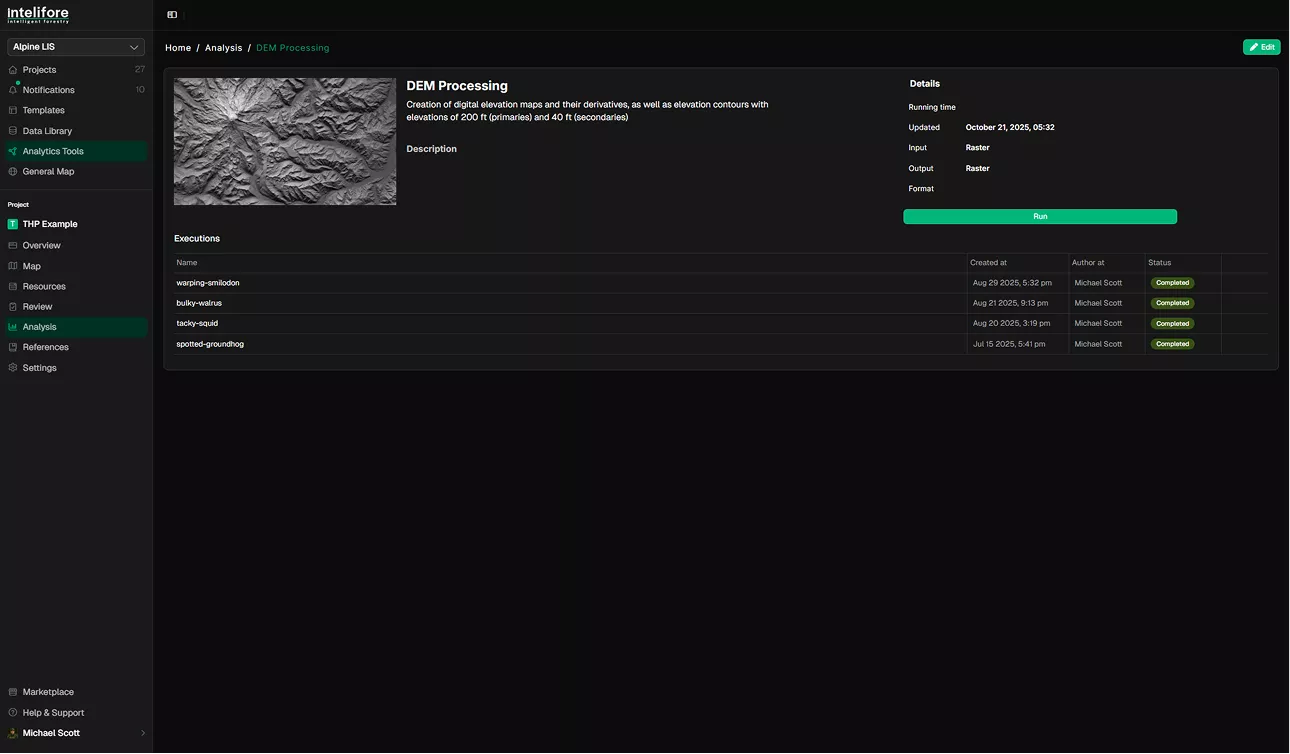
Foresters can run analysis routines in Python or R directly within Intelifore’s cloud-based environment. These tools allow for advanced processing—from LiDAR workflows to custom scripts—without leaving the platform.
5
Perform Analysis
Foresters can run analysis routines in Python or R directly within Intelifore’s cloud-based environment. These tools allow for advanced processing—from LiDAR workflows to custom scripts—without leaving the platform.
5
Perform Analysis
Foresters can run analysis routines in Python or R directly within Intelifore’s cloud-based environment. These tools allow for advanced processing—from LiDAR workflows to custom scripts—without leaving the platform.
Key Features
Core tools to plan, manage, and optimize
forest operations in one platform.
Form Builder
Start forestry projects faster using customizable templates built around operational workflows, legal requirements, agencies, and project types.
Modify sections, standardize documentation, and save reusable configurations for future projects.
Start forestry projects faster using customizable templates built around operational workflows, legal requirements, agencies, and project types.
Modify sections, standardize documentation, and save reusable configurations for future projects.

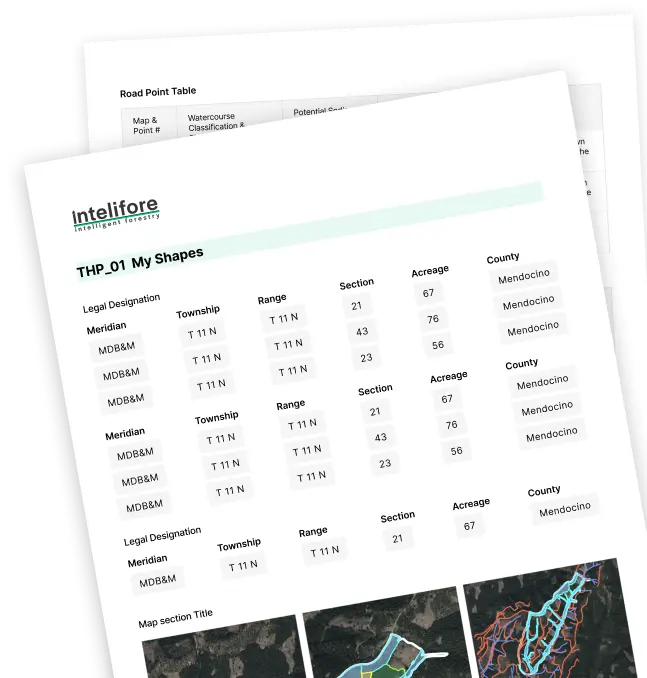
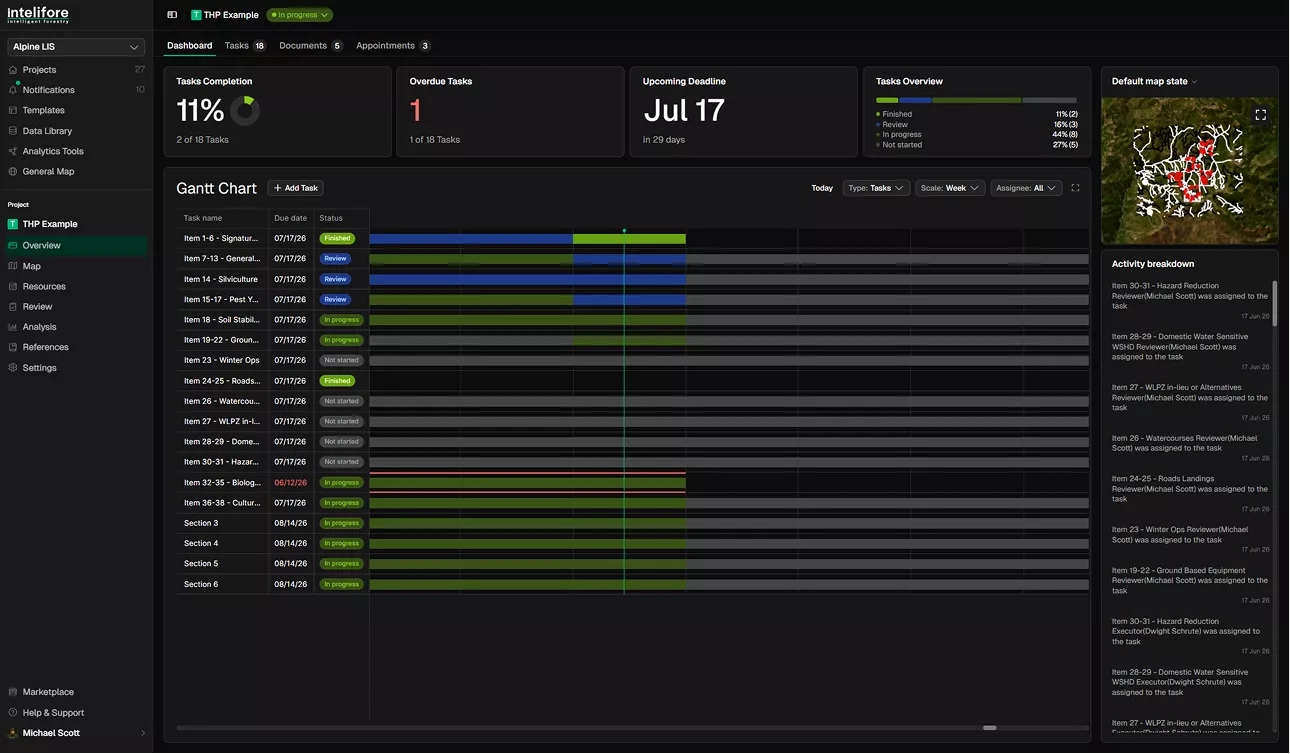
Exhibit Generator
Automatically transform maps, analytics, photos, and project information into interactive online exhibits.
Generate multiple versions tailored to different audiences without rebuilding presentations manually.
Automatically transform maps, analytics, photos, and project information into interactive online exhibits.
Generate multiple versions tailored to different audiences without rebuilding presentations manually.
Analysis Pipline
Access a growing library of forestry analysis tools and reusable workflows created by the Intelifore community.
Build custom routines, automate repetitive analysis tasks, and create pipelines designed around specific project objectives.
Access a growing library of forestry analysis tools and reusable workflows created by the Intelifore community.
Build custom routines, automate repetitive analysis tasks, and create pipelines designed around specific project objectives.
AI Toolkit
Intelifore’s AI Toolkit is currently in development and includes image segmentation and tree counting tools for beta users.
Future AI functionality will help automate reporting workflows, extract insights from raw forestry data, and support operational decision-making.
Intelifore’s AI Toolkit is currently in development and includes image segmentation and tree counting tools for beta users.
Future AI functionality will help automate reporting workflows, extract insights from raw forestry data, and support operational decision-making.
Resource Library
Access a centralized library of raster, vector, point cloud, and database resources available for forestry projects.
Upload proprietary datasets, compare information layers, and optionally share resources with the broader forestry community.
Access a centralized library of raster, vector, point cloud, and database resources available for forestry projects.
Upload proprietary datasets, compare information layers, and optionally share resources with the broader forestry community.
Frequently Asked Questions
Everything you need to understand how Intelifore works in practice
What is Intelifore?
Who is Intelifore for?
What kind of data can be used in the platform?
Can I plan operations directly on the map?
What is Intelifore?
Who is Intelifore for?
What kind of data can be used in the platform?
Can I plan operations directly on the map?
Does Intelifore support field operations?
How does reporting work?
Can Intelifore integrate with existing systems?
Is there any AI functionality available?
Does Intelifore support field operations?
How does reporting work?
Can Intelifore integrate with existing systems?
Is there any AI functionality available?

Ready to Streamline Your Forest Operations?
Plan, manage, and track everything in one platform built for clarity, collaboration, and operational efficiency.